
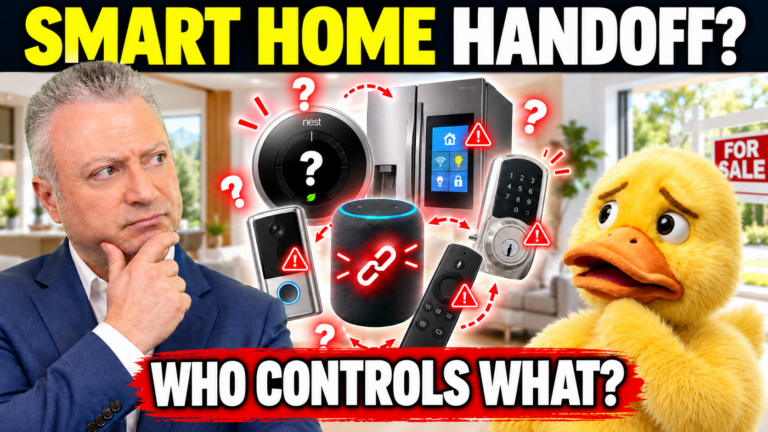
You’ve sold your home. So why is your phone still showing alerts from its front-door camera?
A smart lock, thermostat, doorbell, security system, or automated shade may be attached to the property, but its app and account can still belong to the seller. After closing, that distinction can leave a buyer unable to operate equipment or a former owner with access they should no longer have.
For Irvine, Newport Beach, and Orange County homeowners, handing over a connected house means more than leaving instructions on the kitchen counter. The devices, subscriptions, passwords, and permissions need attention at the right time. A buyer may understandably expect the thermostat to work on day one. A seller, meanwhile, may not realize a doorbell is still sharing video with an old family account. Both problems are easier to avoid with a written plan.
The objective is straightforward: the buyer receives the equipment promised in the sale, while the seller leaves with personal information and account access properly separated. Here’s how to plan it without accidentally shutting down the house before moving day.
Written by Tony Babarino, Irvine Real Estate Broker and REALTOR® with REAL Broker, serving Irvine, Newport Beach, and surrounding Orange County communities. California DRE#01717758.
Before Anything Else: Transfer, Remove, and Reset Are Different
A device transfer lets a new owner register or take control of supported equipment. Account removal disconnects the seller’s credentials or administrator rights. A factory reset clears settings on the device itself, but may not release ownership in the manufacturer’s system.
These actions aren’t interchangeable. Their order varies by brand and model. Begin by checking the official instructions for each system, and don’t assume that deleting an app from your phone changes ownership of the hardware. Record what each device needs before you begin. Some changes are difficult to reverse, especially if you delete a home profile containing schedules, room assignments, or linked accessories.
FREE PDF FOR HOME SELLERS
A smart home can leave behind more than keys. See which devices, accounts, codes, and settings should be handled before closing.
Get the Free Smart-Home Checklist PDFEnter your email, then confirm it to open the checklist.
1. Decide What Stays With the House
Start with the purchase agreement, not a guess about whether an item is permanently attached. A hardwired doorbell, smart thermostat, built-in lighting controls, or motorized shades may be treated differently from portable speakers and voice assistants. What transfers depends on the specific agreement and property circumstances.
Before listing or negotiating, document included and excluded devices. Clarify whether hubs, remotes, wall-mounted controllers, and necessary accessories stay. Removing a central controller can leave installed equipment unable to perform some functions.
The California Department of Real Estate’s reference material discusses fixtures and personal property. When the parties disagree about an item, seek appropriate transaction or legal advice rather than relying on whether it connects to Wi-Fi. This should also be considered when photographing and describing the listing. A buyer might reasonably ask whether equipment shown in a photograph is part of the purchase, so clarity before marketing is useful.
Each one needs proper attention before handover.

2. Inventory Every Connected System
Walk through the property and compare the installed equipment with each app’s device list.
| Area | What to check |
|---|---|
| Doors and security | Smart locks, cameras, doorbells, alarm panels, garage controls |
| Climate and water | Thermostats, leak sensors, automatic shutoff valves |
| Lighting and shades | Switches, dimmers, motorized blinds, lighting bridges |
| Entertainment | Whole-house audio, built-in speakers, controllers |
| Outdoor and utilities | Irrigation, pool/spa controls, EV charging, solar monitoring |
| Network | Routers, hubs, repeaters, automation controllers |
For each item, note its room, model, controlling app, included accessories, and whether it requires a subscription. Photograph labels and setup information, but keep sensitive codes private until the authorized handover.
In HOA communities, distinguish privately owned devices from shared gates, entry systems, or equipment controlled by a management company. Check cabinets, closets, garages, and utility areas for equipment you rarely touch. Wall-mounted tablets, network racks, and small wireless bridges may control features in several rooms. If you don’t know what something does, ask the installer before unplugging it. Also identify any devices that depend on a separate installer account, cellular connection, or HOA-managed service. Those dependencies may be invisible during a showing, yet they can affect how the new owner operates the equipment.

3. Protect Personal Accounts and Stored Data
Never give a buyer the password to your personal Apple, Google, Amazon, email, or other household account. The account may contain payment details, recordings, contacts, or access to devices at your next residence.
Instead, release the included devices using the manufacturer’s ownership instructions. Back up personal material you are entitled to keep before deleting data. Check cloud recordings separately because resetting a camera does not necessarily erase footage stored online.
Review family access, guest codes, automation services, and connected apps. One camera or lock can have permissions in more than one system. For example, removing a camera from a household dashboard may not cancel the manufacturer’s cloud subscription. Check both accounts. If multiple family members have administrator privileges, coordinate changes so no one accidentally reconnects a device after transfer.
The Federal Trade Commission’s smart-home selling advice covers inventory, personal information, and administrative access.
4. Follow the Manufacturer’s Transfer Procedure
Ring: Ring’s ownership-transfer instructions explain why removing an app, uninstalling equipment, or canceling a subscription does not necessarily release a device. Subscription cancellation may require a separate step.
Google Home and Nest: Google’s moving guide describes different procedures for cameras, thermostats, speakers, and other products. Removing an entire home can affect several devices and stored settings.
Apple Home and HomePod: Review Apple’s guidance on Home access and resetting HomePod. Third-party accessories may also require changes in their manufacturers’ apps.
Amazon Alexa: Amazon describes deregistering compatible devices before selling or giving them away.
Matter-compatible equipment: Some products can be controlled through multiple platforms. The Connectivity Standards Alliance’s Matter information explains multi-admin capabilities. Removing access from one platform may not remove it from another.
Because menus and procedures change, match the instructions to the exact model rather than following a generic online reset demonstration. Note any confirmation emails or transfer status messages. A reset button might return the hardware to setup mode while the previous owner remains associated with it online. The buyer should not be expected to work around an unresolved ownership claim.

5. Coordinate Locks, Cameras, and Safety Systems
Reset timing matters. Removing an access code before movers finish could lock you out. Leaving your account connected after possession could allow unwanted camera notifications or remote access.
- Locks and garage doors: Account for keys, remotes, keypad codes, and linked vehicles. Provide the buyer with the proper setup procedure and battery-backup information.
- Cameras and alarms: Remove personal access at the agreed time. Ask monitoring providers how contracts and service changes work.
- Thermostats and water shutoffs: Keep necessary building functions operating through the transition. Use qualified support if a reset could disable equipment.
If a lock or thermostat relies on batteries, leave the new owner the model’s backup-entry or manual-operation instructions. Do not casually disconnect safety or security equipment to make a transfer appear finished. An installer may need to coordinate alarm monitoring, electrical connections, or automatic water valves.
Follow the actual possession agreement, which may differ from the closing date. For related guidance, see When Should You Change Your Home Locks?.
6. Give the Buyer a Useful Smart-Home Manual
The buyer needs clear instructions, not your passwords. A short digital document or binder can include:
- Each included device’s name, location, brand, and model.
- The app and official setup link needed for registration.
- Any included hubs, controllers, manuals, or pairing information.
- How to operate basic functions without an app, when possible.
- Subscription providers and features that require payment.
- Warranty details and installer or manufacturer support contacts.
- A status note: transferred, reset, or awaiting professional setup.
Deliver sensitive pairing codes through an appropriate channel at the agreed time, not in a booklet left out during showings. Check that the guide describes the systems actually staying with the home. If the buyer must purchase a separate hub, bridge, or service to use a feature, say so clearly rather than describing it as fully operational without qualification.
Explain limitations too. A light switch may still work manually even though its schedules must be created again after the buyer establishes a new network.
7. Check Subscriptions and Wi-Fi Dependencies
Cloud video storage, alarm monitoring, garage access, and some automation features may require ongoing service. Identify each provider, approximate current charges, cancellation requirements, and whether a new customer can open or receive the service.
Do not promise that a subscription or its price transfers with the equipment. Confirm that directly with the provider.
Also clarify which networking devices convey with the home. Some equipment loses remote control or automation when the seller’s router and internet service leave. A larger property in Turtle Rock or Turtle Ridge might have several access points and a centralized controller. When the internet changes, equipment tied to the previous Wi-Fi name or password may need to be configured again. The buyer should know which devices can operate independently during that change. For larger systems, consider asking the original installer for a simple equipment diagram.
FREE PDF FOR HOME SELLERS
A smart home can leave behind more than keys. See which devices, accounts, codes, and settings should be handled before closing.
Get the Free Smart-Home Checklist PDFEnter your email, then confirm it to open the checklist.
The Final Countdown
8. Follow a Handover Timeline
Two to Four Weeks Before the Expected Closing
- Confirm included equipment and complete the inventory.
- Find transfer instructions and identify subscription requirements.
- Document normal operation and flag systems needing an installer.
During the Final Week
- Save personal data you are entitled to retain.
- Finish the buyer’s setup guide and gather manuals.
- Agree on when access changes, particularly for locks, cameras, and alarms.
At the Agreed Transfer of Possession
- Remove or transfer accounts and reset devices in the proper order.
- Provide included keys, remotes, controllers, and setup materials.
- Where practical, have the buyer or an authorized installer verify that included devices have been released from the seller’s account and can be registered by its new owner.
- Record unfinished transfers and who will follow up.
After Moving
- Check that the former property’s devices no longer appear in your accounts where removal is appropriate.
- Review shared access, linked services, home addresses, and billing.
- Do not continue observing the buyer’s camera feeds or activity.
9. Offer a Short Orientation, With Clear Limits
For homes with several connected systems, a brief walkthrough may help buyers understand manual controls, installed hubs, and features needing new accounts. An installer may be more appropriate for complex automation. Keep this orientation separate from transferring passwords. Demonstrating a motorized shade or pointing out the equipment cabinet may be helpful; logging into the buyer’s personal account on their behalf could create unnecessary privacy and support issues.
Discuss any promised assistance in the transaction documents. Sellers should not need to hand over personal accounts or provide open-ended technical support after moving out.
Final Smart-Home Seller Checklist
- Included and excluded devices are documented.
- Every installed system is inventoried.
- Hubs, controllers, and remotes are accounted for.
- Manufacturer transfer requirements are checked.
- Personal data and cloud recordings are handled appropriately.
- Old users, codes, and remote permissions are addressed.
- Locks, alarms, and building controls remain usable as agreed.
- Subscription and internet requirements are disclosed.
- Buyer setup instructions are prepared.
- Personal account passwords are not shared.
- Reset timing matches the possession agreement.
- Remaining access and billing are reviewed after moving.
Frequently Asked Questions About Selling a Smart Home
Does Factory Resetting Automatically Transfer Ownership?
Not necessarily. Some brands require an ownership release or account-removal procedure in addition to resetting the hardware. Follow the instructions for the specific model.
Should I Give the Buyer My Wi-Fi Password?
Usually buyers should establish their own internet service and credentials. Clarify whether network equipment is included, but avoid disclosing personal accounts or passwords merely to keep devices online.
Can Smart Devices Work Without Internet Access?
Some local controls may continue working, while remote access, notifications, and cloud features may stop. It depends on the device and its configuration.
Will Smart-Home Upgrades Increase My Selling Price?
Not automatically. Buyer interest depends on the property, device condition, usability, market, and personal preferences. A smart-home installation does not guarantee a particular sale result.
A Better Handover Starts Before Moving Day
A connected home can be attractive to buyers, but the equipment is only useful when the new owner can control it. Clear documentation and careful account transfers may reduce confusion while protecting the seller’s privacy.
If you’re preparing a property for sale, I can help consider how these features fit the overall home presentation and transaction plan. My Irvine and Orange County sellers page explains how I approach preparing and marketing homes.
As an Irvine Real Estate Broker and REALTOR® serving Irvine and surrounding Orange County communities, I use modern marketing methods, including custom video and social media reach, to help my sellers’ homes attract more attention.
Rather than relying only on buyers finding your listing, I work to put your home in front of potential buyers where they’re already spending time: on social media, watching videos, and browsing online from their phones, tablets, televisions, and computers. This includes people who may be considering a move but haven’t started actively searching for a home.
Sometimes, seeing the right home at the right time is enough to turn someone’s curiosity into genuine interest.
I don’t just wait for buyers to find your home. I help potential buyers discover it.
Tony Babarino, Irvine Real Estate Broker and REALTOR®
REAL Broker
Serving Irvine, Newport Beach, and surrounding Orange County communities.
California DRE#01717758
Call/Text: (949) 633-6741
Disclaimer: This article offers general homeowner and real estate education, not legal, cybersecurity, electrical, building-system, or other professional advice. Included equipment and transfer obligations depend on the agreement, manufacturer procedures, and applicable law. Product features, subscriptions, and account-transfer steps may change. Consult qualified professionals when needed. No particular security or selling outcome is guaranteed. This article is not intended to solicit homeowners already represented by another real estate broker.
Want more Irvine real estate insights, helpful homeowner tips, and original videos in your Google experience? Add TonyBabarino.com as a Preferred Source.